Free WordPress security plugins can provide useful protection, but the word "free" does not describe a consistent package. A file scanner, a known-vulnerability check and a remote website scan examine different things. A backup feature can mean a local manual copy rather than managed cloud recovery.
This comparison examines documented free capabilities, with PowerSEC included as the publisher's product. It is not an independent exploit-blocking or performance benchmark. Vendor documentation and plan pages were checked on 14 November 2026. The useful decision is which responsibilities a free tool covers and which work still belongs to you.

A useful free plan has a clear scope and a workable follow-up process.
The short version
Free offering | Documented strengths | Important boundary |
|---|---|---|
Firewall, malware and vulnerability scanning, login protection, manual local backups | Cloud backup and Pro security automation are paid | |
Endpoint firewall, malware scanning, file comparisons and login security | New firewall rules and malware signatures reach Free after a 30-day delay | |
Activity auditing, file integrity checks, remote scanning and hardening | The cloud Website Firewall is a separate paid service | |
Weekly malware scans, basic firewall and vulnerability alerts | Malware removal is excluded | |
Daily known-vulnerability checks and security controls in the Protect view | File malware scanning requires a plan with Jetpack Scan |
These are selected capabilities, not exhaustive feature lists. Read the linked source for the exact product and entitlement you plan to install.
How should you compare Free WordPress security plugins?
Write down the question each feature answers. A known-vulnerability check asks whether an installed component matches an advisory. A malware scan examines content or files for suspicious characteristics. A firewall evaluates requests under its active rules. A backup preserves a state that may be useful for recovery.
Do not collapse those functions into a single green checkmark labeled "secure." When a vendor says a feature exists, establish its scope, update cadence, limits and required access. Also establish what happens after a finding. An alert is useful only if someone understands and follows it up.
Use the site's actual needs to choose the comparison columns. A small editorial site may prioritize accessible findings and a simple recovery process. An agency may prioritize visibility across clients and clear ownership. A store may need a recovery cadence and validation workflow beyond what a free plan includes.
The right free product is therefore not necessarily the one with the longest list. It is the one whose documented scope matches the tasks you need and whose remaining gaps you can deliberately cover.
Does "scan" mean the same thing across products?
No. Sucuri's plugin documentation describes its remote malware scanning as a visitor-facing SiteCheck inspection. That is useful external evidence, but it should not be described as unrestricted access to every server-side file.
Wordfence's plugin listing describes malware scanning of core, themes and plugins, alongside comparisons with WordPress.org files. Its Free and Premium distinction includes the stated delay for new rules and signatures. That does not mean Free lacks a scanner or a firewall.
Jetpack's current Protect documentation separates the free check for known vulnerabilities from paid file malware scanning. MalCare's Free plan includes malware detection but directs removal to paid cleanup plans. Those are different boundaries and should be labeled separately.
When evaluating results, ask what was inspected and when. A report that found no known vulnerable version should not be presented to a client as proof that no malicious file exists. Likewise, a file detection should be investigated before it becomes an automatic deletion decision.
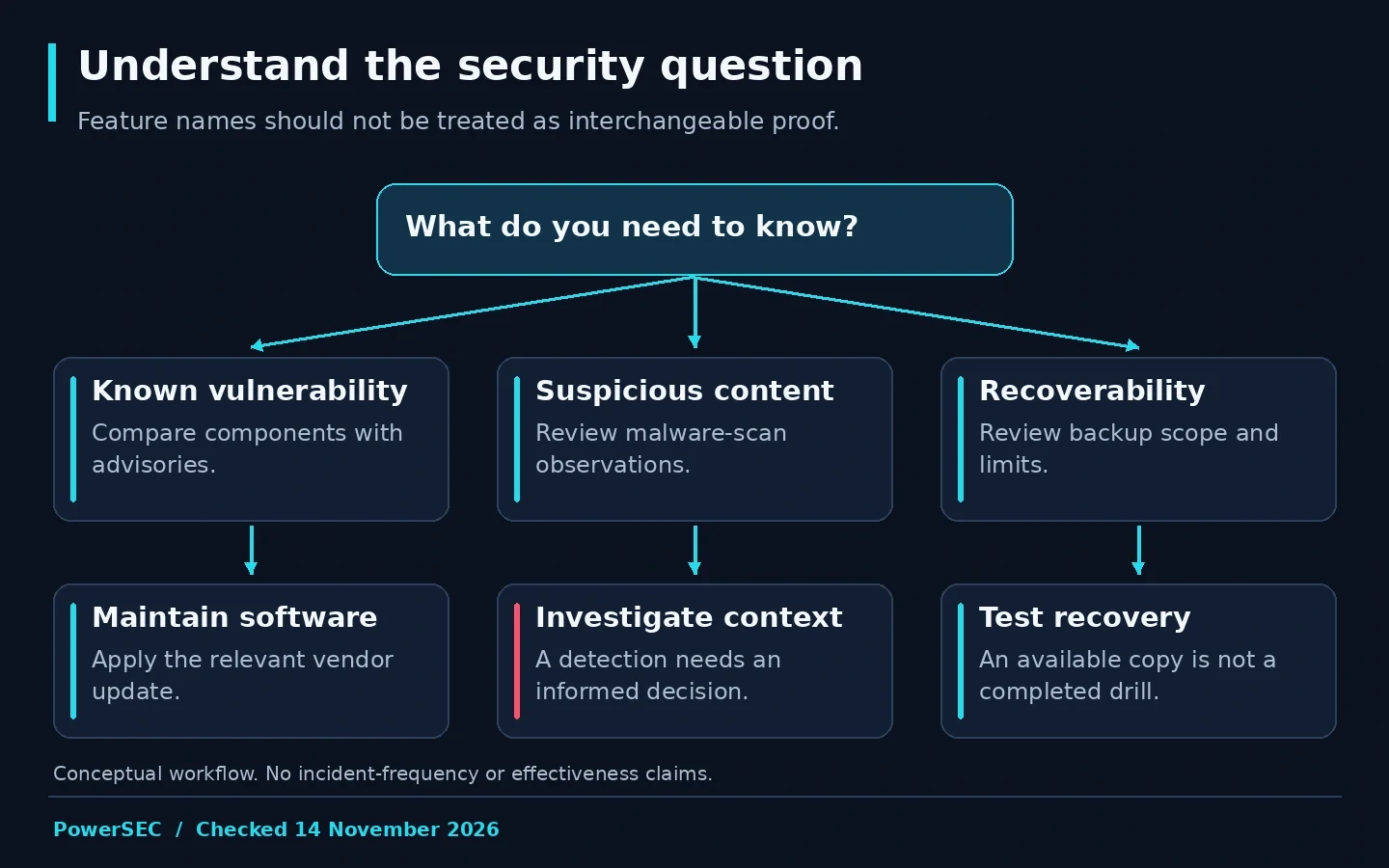
Different security functions answer different operational questions.
What does PowerSEC Free include?
The current PowerSEC pricing page lists local malware and vulnerability scanning, firewall and login protection, and manual local backup and restore. It also lists core and plugin checksum verification and gives known-exploited vulnerabilities priority in the vulnerability view. That prioritization is not restricted to a paid plan.
The same page makes the limits visible. Free uses built-in static malware signatures. Cloud backups, Central-scheduled rescans, automated WAF rule updates, incident runbooks and bulk update capabilities belong to the relevant paid plans. Do not describe the Free plan as having paid automation.
For a site owner, the useful benefit is having several everyday security and local recovery functions in one product. The responsibility that remains is to review findings, maintain software, manage local backup copies and decide whether the site needs cloud recovery or centralized automation.
A scanner does not fix a vulnerable plugin. Apply the vendor update or the vendor's documented mitigation. A PowerSEC finding also does not prove that a particular exploit was blocked or that compromise is absent.
What about backups and cleanup?
Keep recovery and remediation as explicit rows in your decision sheet. Do not assume that a malware scanner creates backups, or that a backup service includes incident cleanup. These functions can be sold in separate products even by the same company.
PowerSEC Free's backup is manual and local. That is a useful capability, but it should not be compared as though it were managed cloud backup. Backup Only is the relevant PowerSEC plan when scheduled cloud backup is the primary requirement.
For other products, use the selected offer's documentation rather than a company-wide slogan. Sucuri's paid cloud firewall is separate from its free plugin. MalCare's free detection is separate from its cleanup entitlement. Wordfence provides file repair and removal tools, which should not be confused with a managed incident-response engagement. Sucuri, MalCare and Wordfence describe those distinctions in their own materials.
Our recommendation is to write down who handles recovery and who handles an active compromise before choosing a tool. If the answer is a host or agency, confirm that service scope instead of assuming the plugin fills the gap.
Should you install several security plugins?
Do not use the number of installed products as a security objective. First identify which feature is missing. Then evaluate whether another product fills it without making the site's operation harder to understand.
For a controlled pilot, document active firewall rules, login controls, scheduled scans and alert recipients. Test ordinary workflows after configuration changes. Keep a record of which product generated each finding so conflicting results can be investigated rather than averaged into a meaningless confidence score.
We have not measured the resource overhead or interoperability of every combination in this article. Test the combination on your actual hosting environment and use vendor support where behavior is unclear. Avoid presenting unmeasured performance claims as a reason to choose PowerSEC or reject a competitor.
If you replace a product, preserve the old configuration and confirm the new controls are active before removing the old operational process. A migration should end with a clear owner and a verified setup, not merely a different plugin icon.
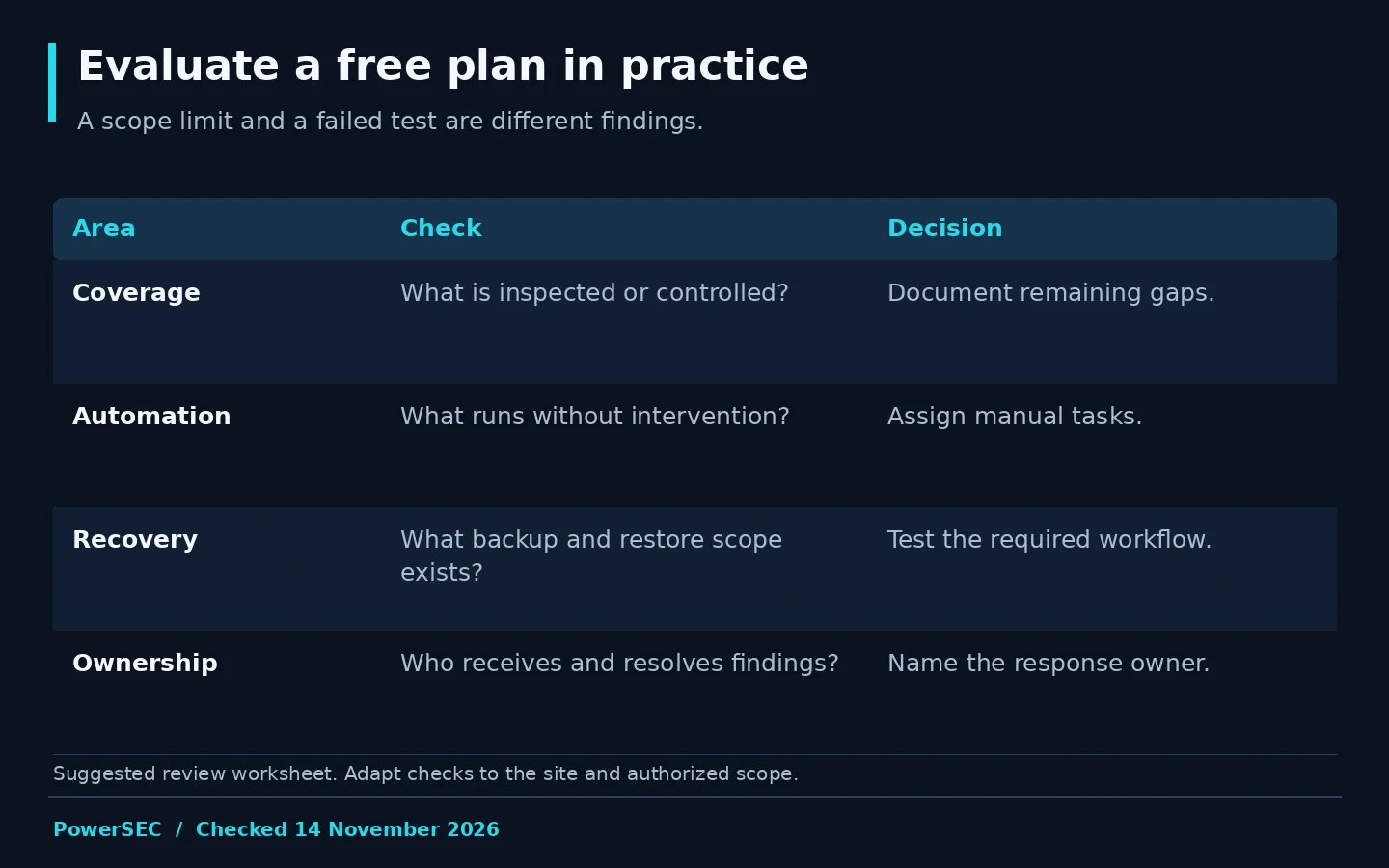
Evaluate the operating workflow as well as the feature list.
How can you evaluate a free plan without a fake score?
Use a short acceptance sheet based on your own needs. Record whether setup completed, findings are understandable, notifications reach the right person and the relevant backup or recovery function can be tested safely. These are observations you can verify without pretending to measure protection against every attack.
Separate missing features from failed tests. A cloud backup excluded from a free offer is a scope limit, not a software defect. A configured alert that never reaches its recipient is an operational issue worth resolving before relying on the workflow.
Keep a decision note explaining the remaining gaps and how they are covered. This is particularly useful for agencies handing a site to another maintainer. It makes a free-tool decision defensible without promising that zero subscription cost means zero maintenance effort.
Where PowerSEC fits
Start with PowerSEC Free if you want its documented combination of local scanning, firewall, login protection and manual local recovery. Add a paid plan only when its cloud backup or automation capabilities solve a defined need.
If you want an initial outside view before installing anything, use the free WordPress security scan. It examines public-facing signals and does not replace an authenticated review or inspection of every server file. Treat the result as a starting observation, not a full audit.
Bottom line
Compare free security products by scope, not by a universal "best" badge. Establish what each feature examines, how current its inputs are and who acts on its findings. PowerSEC is a practical option when its included local security and recovery functions match the work you need to manage.
Sources
Primary sources checked on 14 November 2026: