UpdraftPlus security update 1.26.12 is available on 19 October 2026. Its vendor-maintained changelog says it revokes UpdraftCentral cloud keys created before the incident. It follows the UpdraftCentral breach disclosed earlier that day.
Update first, then verify remote access and investigate unwanted changes. For agencies, the useful question after patching is whether someone left files or access behind. This guide explains the scope and a check that an administrator-only account review can miss.
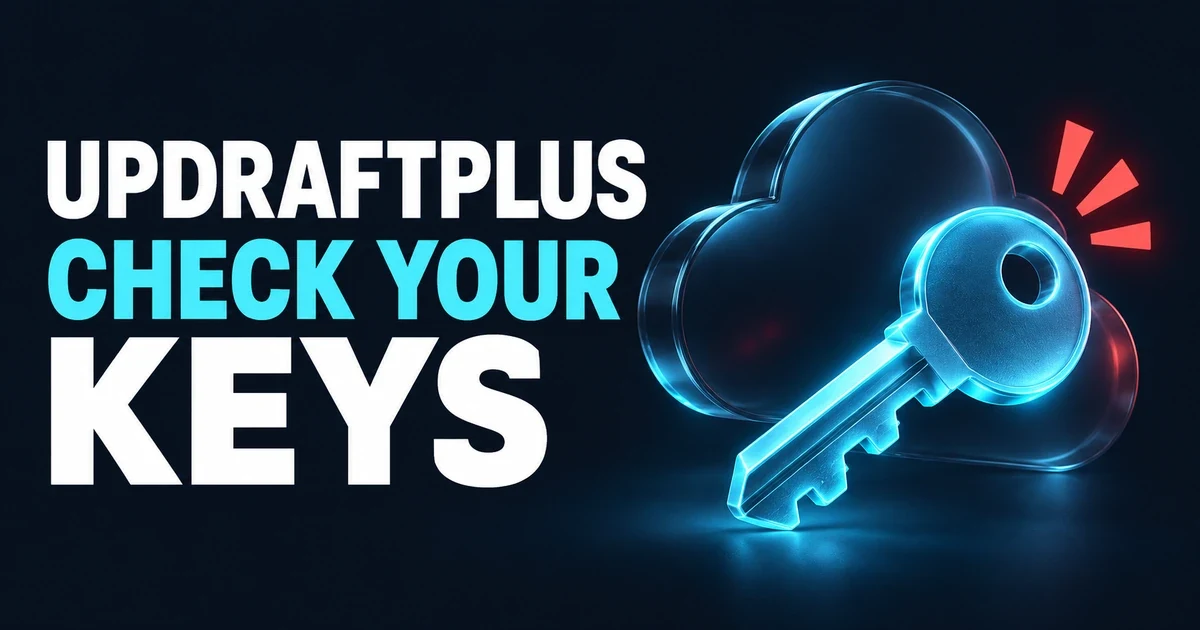
Check the remote connection as well as the installed software.
The short version
Question | Answer |
|---|---|
What happened? | Stolen cloud keys authorized unwanted plugins. Patchstack's investigation |
Which sites need attention? | Sites with an existing UpdraftCentral cloud connection. The vendor excludes self-hosted UpdraftCentral from this incident. Vendor notice |
Current repository version? | 1.26.12, checked on 19 October 2026. Its changelog documents revocation of pre-incident cloud keys. Repository API, changelog |
What should I check beyond administrators? | Directly assigned privileges on other accounts, including Editors. Sample analysis |
Is there a new CVE? | The incident sources reviewed below do not assign a new CVE to the stolen-key campaign. Do not substitute a score from a different flaw. |
How UpdraftPlus security changes when a trusted key is stolen
Remote management depends on a site recognizing an authorized controller. Nethemba found valid keys authorizing unwanted activity. This is credential abuse, not a universal authentication bypass.
The distinction changes the response. A security release can withdraw old remote authorization, as this release documents. Withdrawing it does not establish that earlier changes have been cleaned up. Track update completion, connection status and investigation as separate tasks with separate evidence. The changelog describes key revocation; it does not document a compromise assessment.
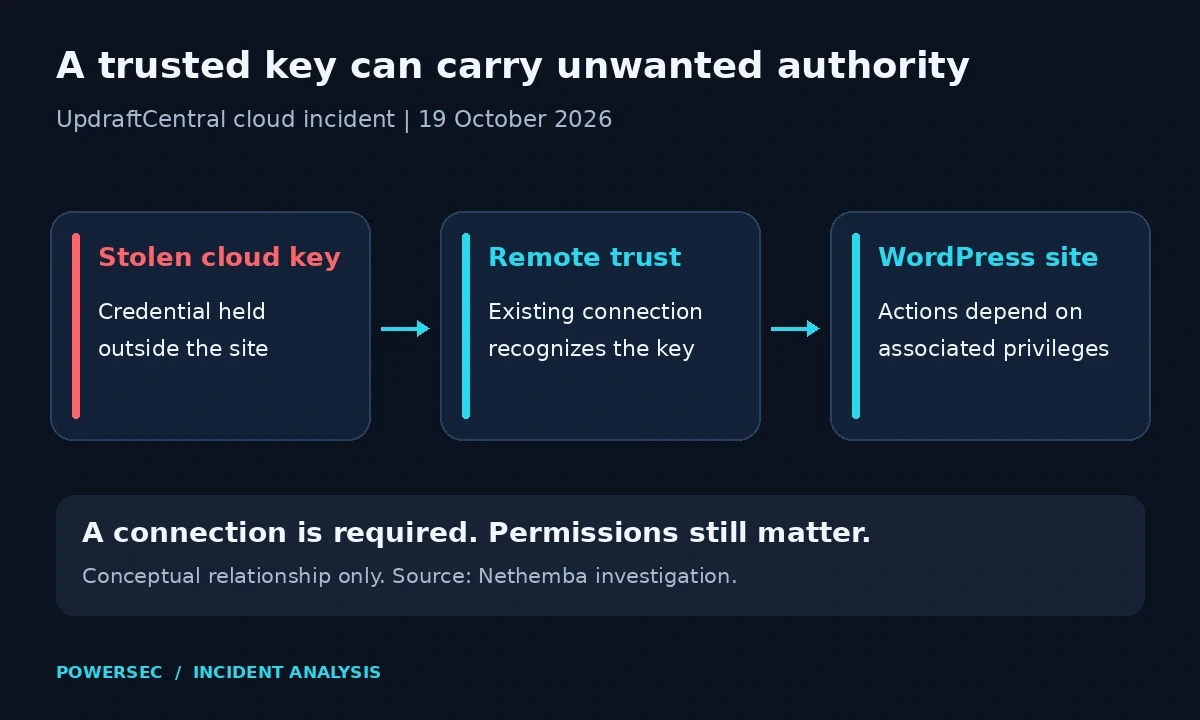
Conceptual trust boundary, based on Nethemba's investigation. No request format or attack payload is shown.
For your incident notes, record who manages the remote connection and who can confirm its removal. If an agency, host and client each assume another party owns that task, the ticket can close without anyone checking the actual site.
What are the real attack conditions?
Nethemba reports that installation failed where the key owner lacked the required permissions. An exposed connection, an uploaded file and successful activation are different findings. Investigate the evidence you have, without promoting an attempted action into a confirmed takeover.
Do not infer connection status from someone's recollection of using a backup plugin. Patchstack's Dave Jong notes that the account-connection workflow can also enroll sites in UpdraftCentral. Inspect the stored connection.
WordPress.org's plugin API returned 4,000,000 active installations on 19 October 2026. That is the plugin's installation floor, not a count of cloud-connected, exposed or compromised sites. We have no verified denominator for an infection percentage, so this article does not chart one.
Threat status on 19 October 2026
Observed attacks: Nethemba's team published the initial investigation. Patchstack's independent telemetry report, by Dave Jong, records malicious installations during 18 and 19 October 2026. This is primary-source evidence of attacks, not just a theoretical demonstration.
Public material: Nethemba publishes sample analysis and a checking script. A demonstration and an observed incident are different evidence. We did not execute a backdoor or attempt remote commands against a site.
KEV: We checked CISA's official JSON mirror on 19 October 2026, catalog 2026.10.16. There is no new incident CVE in the reviewed reports to match against KEV. The catalog cannot clear a stolen-credential incident.
Release status: The WordPress.org API changed to 1.26.12, with an update timestamp of 19 October 2026, 16:46 GMT. We verified that release during the final check for this article.
Changing guidance: Patchstack's initial advice was to wait for an explanation before reconnecting. TeamUpdraft's notice provides a recovery procedure. Earlier reports saying no update was available predate the repository release above.
Is my site affected?
In the site's own WordPress dashboard, open Settings > UpdraftPlus > Advanced Tools > UpdraftCentral and inspect the UpdraftCentral connection keys. The vendor's connection documentation shows this screen. Its incident notice excludes free users without a TeamUpdraft account. Plugin installation alone does not establish cloud exposure.
Also record the installed version in Plugins > Installed Plugins. On a site with no indications of compromise, this read-only WP-CLI command retrieves it from the WordPress directory:
wp plugin get updraftplus --field=version --skip-plugins --skip-themesA missing-plugin error means the named component was not found in the installation queried. Confirm the site and directory before treating that as an inventory result. A current version alone does not answer the connection question.
WP-CLI limitation: its documented global parameters state that --skip-plugins still loads must-use plugins. It is not an isolation boundary. If you suspect compromise, have your host work from preserved files and a trusted database connection instead of bootstrapping the site's PHP.
For each client site, our recommended work record has separate fields for connection status, installed version, unwanted-file review and access review. Mark missing evidence explicitly. "No logs retained" should not become "no suspicious activity."
What you should do
Update first to the current vendor release. For the repository edition, that is 1.26.12, released 19 October 2026. The earlier 1.26.11, dated 16 October 2026, addressed different database-restore issues. Vendor changelog
Use the update action on the Installed Plugins screen, then read back the installed version. Premium users should use their licensed vendor update channel and verify its release notes; the public repository number above identifies the free edition.
Check that the old connection has been removed. If you cannot update immediately, delete its key on the site's UpdraftCentral screen using the documented local disconnection method. Change account passwords and reset account two-factor settings as directed in the incident notice.
If something looks wrong, ask the host to preserve filesystem and database snapshots before cleanup. Keep the evidence copy separate from the recovery backup. WordPress's incident guidance supports documenting symptoms, retaining an infected snapshot and reviewing access during recovery.
Our recommended handoff is concise: identify the site, the connection removed, the person responsible for investigation, and the evidence retained. Record the time and timezone of each action. Keep this record outside the affected WordPress installation.
The vendor's recovery instructions put site checks and password changes before reconnection. UpdraftVault customers also need to reconnect backups. Verify a new backup completes.
The habit described in our WordPress patch-gap article applies here too: verify that the intended change actually completed. For this incident, include connection revocation in that verification.
Were you targeted?
Which indicators are useful?
The following are investigation leads from Patchstack's observed campaign, checked on 19 October 2026. They are not a complete detection rule.
Evidence | Search lead |
|---|---|
Reported source addresses |
|
Description in analyzed malicious plugins |
|
On a preserved filesystem copy, this search prints matching filenames without executing PHP. Run it from the copied WordPress directory. Missing directories and permission errors require attention; they are not clean results. find reference, grep reference
find wp-content/plugins wp-content/mu-plugins -type f -name '*.php' \
  -exec grep -lF 'Small maintenance toolkit: keeps option storage tidy.' {} +
Search an exported, uncompressed access log too. Replace the example filename with your retained log copy. These addresses are literal search strings; the command makes no network requests.
grep -nF \
  -e '43.250.53.42' \
  -e '2a09:bac5:4e21:2e3c::49b:9' \
  example.com-access.log
Correlate matches with unexplained installations and the site's remote-management event log. Review rotated logs and the host's retained security records. Apache's logging documentation explains that log contents depend on configuration and that a recorded address may belong to a proxy. A matching line is a lead, not attribution or proof of successful compromise.
Why check Editors as well as Administrators?
Nethemba's initial, broken sample was designed to grant Editors manage_options and install_plugins. Its later update relays reports of working variants using existing administrators, but says those samples had not been independently analyzed. Do not equate intended behavior with confirmed execution. Primary investigation
Have your responder run this read-only query through a trusted database console. Replace wp_ with the actual table prefix. It is for a single-site installation and looks for direct user grants; it is not a complete calculation of effective permissions. WordPress schema, capability model
SELECT DISTINCT u.ID, u.user_login, u.user_registered
FROM wp_users AS u
JOIN wp_usermeta AS m ON m.user_id = u.ID
WHERE m.meta_key = 'wp_capabilities'
  AND (
    m.meta_value LIKE '%"manage_options";b:1%'
    OR m.meta_value LIKE '%"install_plugins";b:1%'
  )
ORDER BY u.ID;
Compare results with approved access records. A custom integration may have legitimate extra privileges. Conversely, no matches do not clear role-level changes, an existing administrator's sessions or a different backdoor. Review role definitions and authorized administrators separately. Multisite needs the appropriate site-specific capability keys and network-level access review. WordPress roles and capabilities
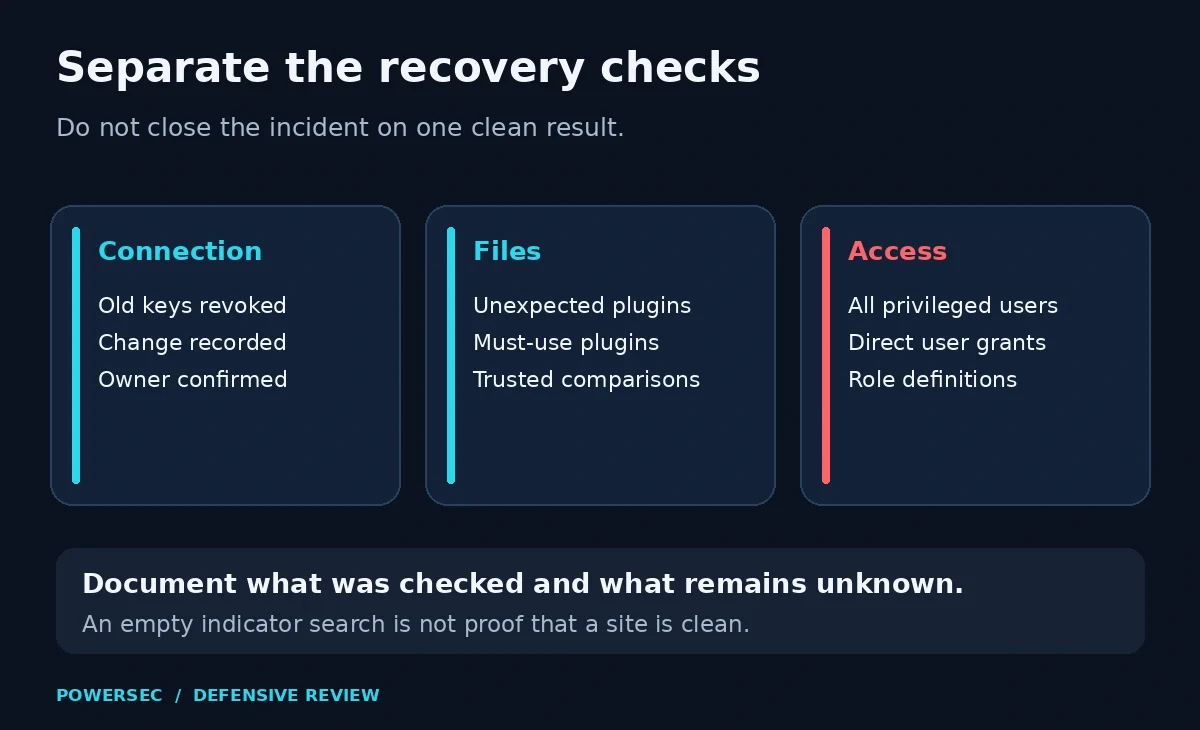
Use separate evidence for each recovery task. An empty indicator search is not a clean bill of health.
Include must-use plugins in file review. WordPress documents their separate Must-Use screen and automatic loading; hosts also use them legitimately. Ask who installed an unfamiliar file and compare it with a trusted source before deciding what to remove.
Where PowerSEC fits
As checked on 19 October 2026, PowerSEC's pricing page lists local malware scanning and core/plugin checksum verification in Free, and incident response runbooks in Pro Protection. These can support the investigation; they do not replace the vendor update or establish that cleanup is complete. If you need an assessment, use PowerSEC's get-help page. Apply the vendor's fix and follow its incident remediation.
Bottom line
Update, verify the connection, review unwanted changes and document the result. Your WordPress security response should examine capabilities as well as account labels. Close the incident with findings and limitations, not just an updated plugin badge or an empty search result. For an agency, the useful deliverable is a site-by-site record showing which work is complete and which still needs an owner.
Sources
All sources were fetched on 19 October 2026. Live status and figures are snapshots from that date. Documentation is background, not the news hook.
TeamUpdraft incident notice, published and updated 19 October 2026. Scope and current remediation.
Nethemba's original investigation, published and updated 19 October 2026. Observed incidents, permissions and sample limitations.
Patchstack: stolen UpdraftCentral keys, Dave Jong, published 19 October 2026. Independent telemetry and indicators.
WordPress.org plugin API and vendor-maintained changelog. Current release and installation floor; emergency release dated 19 October 2026.
CISA's official KEV JSON mirror, catalog 2026.10.16.
WP-CLI plugin get, plugin management, WordPress incident guidance, roles and capabilities, capability merging, database schema, and must-use plugins. Technical documentation.
TeamUpdraft documentation: connection checks, local disconnection, and event logs.
POSIX find reference, POSIX grep reference, and Apache logging reference. Command and evidence limitations.
PowerSEC pricing and incident-help page. Current product scope.
KEV checked on 19 October 2026 against CISA's official mirror, catalog 2026.10.16. The reviewed incident reports assign no new CVE to this key-compromise campaign; KEV absence does not contradict the observed attacks.