WordPress redirect hack reports can sound contradictory. A customer clicks a search result and lands on an unwanted page, while the administrator opens the homepage and sees nothing wrong. Do not dismiss the report or immediately blame the newest plugin. First establish what request produced the unwanted behavior.
This guide explains how to collect useful evidence without interacting with the suspicious destination. It separates the visitor's experience from the server's first response and from warnings that may describe an earlier state. Documentation and product details were checked on 14 November 2026. No particular exploit or campaign is assumed.

A clean administrator view is only one observation of the site.
The short version
Question | First useful action |
|---|---|
Which page started the problem? | Save the exact original URL and discovery time |
Who saw it? | Record browser, device and logged-in state without collecting unnecessary personal data |
Was the first response a redirect? | Inspect response headers without following the destination |
Does a clean response settle it? | No. It covers that request, not every browser behavior |
What should reach the responder? | Reproduction notes, captured responses and recent change history |
Google's Security Issues documentation explains that harmful behavior may depend on context and that sample URLs are not an exhaustive inventory. A failed attempt to reproduce a report is useful evidence, but it is not proof that the report was wrong.
Why can a WordPress redirect hack affect only some visitors?
Google documents hacked sites that present different content to different visitors. The practical lesson is to compare observations carefully. Opening a page while logged in is not the same test as following a search result in a fresh browser context. Google's guide to common hack cases describes cloaking in hacked websites.
Avoid turning that possibility into an attribution. A report that "it happened on mobile" does not prove that malicious code checks mobile devices. It tells you which context to reproduce. A redirect can also be an intentional site configuration that has been misunderstood or changed incorrectly. The investigation should establish the behavior before deciding why it exists.
Build a small comparison matrix around the actual complaint. Use the same starting URL, change a single condition, and record the outcome. Do not run broad automated probing or repeatedly load the malicious destination. Controlled observations are easier to compare and safer to hand to a responder.
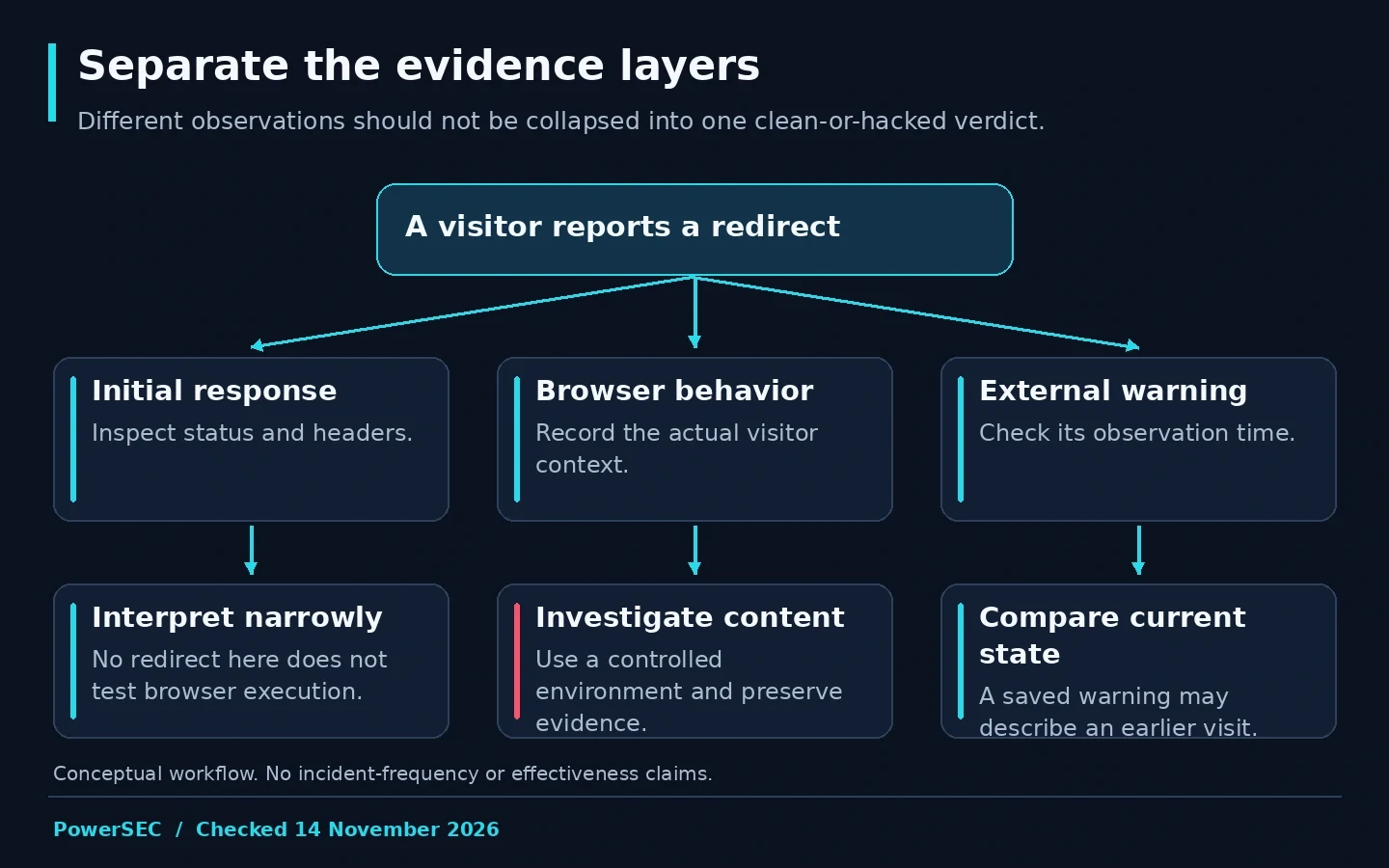
The initial HTTP response, browser execution and search warning are different evidence sources.
Collect a useful visitor report
Ask the reporter for the original link, approximate time with timezone, browser, device type and whether they were signed in. Ask whether the behavior occurred immediately or after an interaction. A screenshot of the address bar can help, provided it does not expose account tokens or personal information.
Do not ask the reporter to click deeper into the destination, download anything or enter credentials. Preserve a destination as text in a private incident record. You need a description of the symptom, not a second victim reproducing the entire experience.
Record whether the starting point was a search result, an advertisement, a bookmark or a directly typed URL. If the report came from a security service, save its observation time and affected URL. This keeps a current browser incident separate from an alert generated before remediation.
For agencies, provide the client with a short incident form rather than an open request to "send everything." Clear questions reduce irrelevant screenshots and accidental disclosure of customer information. Keep the raw evidence restricted, and use a redacted version when coordinating with a wider team.
Check the first response without following it
The following read-only command requests the example page, prints response headers and discards the body. Replace the example domain only with a site you administer. It does not follow redirects because it does not use curl's location option. The command's behavior was tested against a harmless local redirect fixture for this article.
curl --silent --show-error --connect-timeout 10 --max-time 20 \
  --dump-header - --output /dev/null 'https://example.com/'
The curl manual documents these options. Save relevant headers privately, including the status and any Location value. Headers can contain sensitive values, so redact before sharing outside the response team. Do not turn a suspicious Location value into a clickable link in a client report.
This is a GET request, not a full browser session. Curl does not execute page JavaScript, and the command discards the returned page content. A normal result therefore cannot exclude a browser-side redirect or context-dependent behavior. It answers the narrower question of what this request received.
Do not disable certificate verification to make a failed request appear successful. Record a TLS error as a separate observation and ask the host to investigate it. Changing several conditions at once makes the resulting evidence harder to interpret.
Compare contexts without widening the incident
Use an isolated test browser managed by the response team if browser reproduction is necessary. Keep administrator sessions and sensitive accounts out of that environment. Record the navigation sequence without interacting with an unwanted destination beyond what is required to observe the symptom.
Observation | Suggested follow-up |
|---|---|
Initial response includes an unexpected destination | Review the relevant server, application and edge configuration |
Initial response looks normal but the browser moves | Review the returned content and scripts in a controlled environment |
Only an external warning remains | Compare its observation date with the cleanup and current checks |
Reports differ between contexts | Preserve both results and their request conditions |
These are investigation directions, not findings of compromise. Avoid announcing that the database, theme or CDN is responsible solely from this table. Ask the person with access to each layer to examine the specific evidence and report what they found.
For Google-visible symptoms, URL Inspection can provide another view of an affected URL. Distinguish stored indexing information from a live test. Neither is a replacement for investigating the site's actual files, configuration and access history.
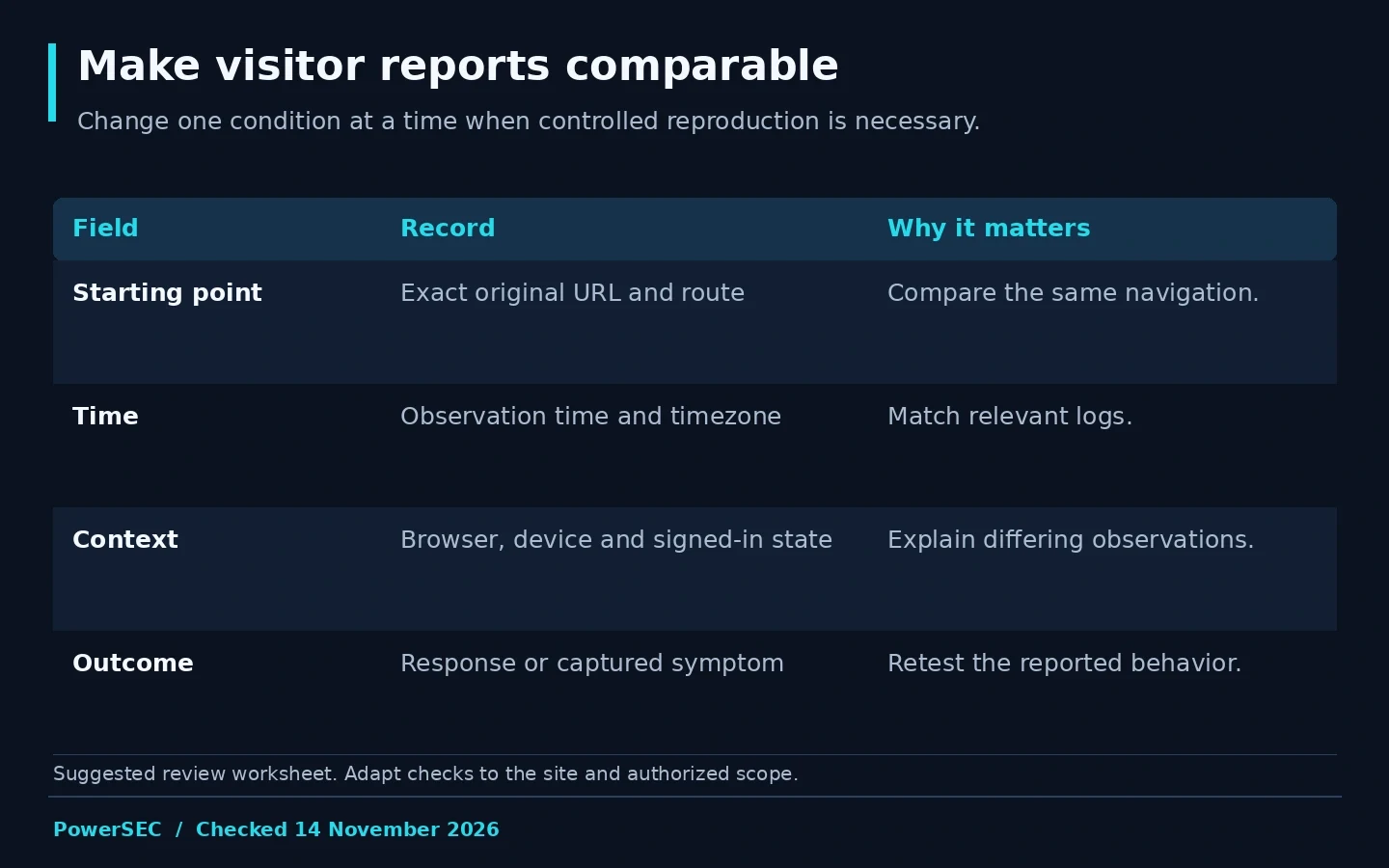
A compact comparison record makes inconsistent reports easier to investigate.
What should you fix first?
Preserve the evidence, then coordinate containment and remediation with the host or an authorized responder. If a vulnerable component is identified, apply its vendor update. If an unauthorized change is confirmed, document and correct that change. Do not treat cache clearing as the incident's root-cause fix.
WordPress's incident guidance recommends involving the hosting provider and reviewing the wider installation. A visible symptom alone is a poor boundary for cleanup. Ask the responder to review the access and components relevant to the incident, including what remains uncertain.
Avoid posting a raw debugging log publicly. WordPress's debugging documentation distinguishes logging from displaying errors and advises against development debugging tools on live sites. If diagnostics are needed, agree on a controlled collection method and remove unnecessary exposure afterward.
Retest the originally reported context after remediation. Write down what changed between tests. If a search warning is involved, follow the relevant review process after the underlying issue is resolved; do not equate submitting a review with a clean bill of health.
How do you know the symptom has stopped?
Define the acceptance criteria before closing the ticket. Our suggested criteria are that the reported navigation has been retested, the affected layer has a documented correction, relevant access has been reviewed, and outstanding observations have an owner.
Keep the distinction between a passed test and an exhaustive guarantee. A responder can state that the reported redirect was not reproduced in the documented checks. That is stronger and more credible than an unsupported claim that no visitor could encounter a problem again.
Schedule a follow-up check appropriate to the incident and the business. Use the original evidence form so the results are comparable. If a client reports recurrence, preserve that report before changing the environment again. A consistent record makes escalation faster than collecting a new set of unrelated screenshots.
Where PowerSEC fits
For an active redirect incident, ask PowerSEC to assess the site and include the original URL, timestamp, visitor context and any prior cleanup work. The service page describes assessment and one-time incident help, with scope determined by the site's condition.
The free WordPress security scan is useful as an external first look. Its public-facing view cannot inspect every server file or establish that every visitor receives clean content. Use it to add an observation, not to overrule a reproducible visitor report or replace incident investigation.
Bottom line
A conditional redirect is an evidence problem before it is a cleanup task. Capture the starting point, separate server and browser observations, and give the responder a reproducible case. Then verify the correction against the same symptom that brought the problem to your attention.
Sources
Primary sources checked on 14 November 2026: