WordPress security audit quotes can describe very different work. An external scan, an authenticated configuration review and a penetration test do not provide the same coverage or evidence. Before paying, ask what will be examined, which access is needed and what you will receive when the work ends.
This guide helps site owners and agencies define a useful assessment and evaluate its deliverables. WordPress, OWASP and PowerSEC sources were checked on 14 November 2026. It is a procurement and preparation guide, not a claim that a checklist or scanner can certify a site as secure.

Buy a defined scope and usable evidence, not an unexplained security score.
The short version
Question | What a useful answer contains |
|---|---|
What is in scope? | Named sites, environments, components and exclusions |
What access is required? | Approved accounts, permissions and handling procedures |
What methods will be used? | Agreed checks and boundaries for testing |
What is the deliverable? | Findings with evidence, impact, actions and limitations |
What happens after fixes? | A defined retest and closure process |
Who owns the work? | Technical and business contacts with clear responsibilities |
Ask for a redacted sample report before purchasing. It often reveals more about the service than an impressive-looking feature count.
What should a WordPress security audit cover?
Begin with the site's purpose and architecture. Identify the production site, any relevant staging environment, custom code, business integrations and administrative systems that the review is expected to include. Mark systems that belong to third parties and require separate authorization.
OWASP's Application Security Verification Standard provides a way to specify technical security requirements and procurement expectations. Its Web Security Testing Guide describes a testing framework. Ask the provider how its proposed work maps to an identified scope rather than accepting a standards logo as proof that every requirement will be tested.
Separate routine configuration and component review from deeper assessment of custom application behavior. An inventory of outdated plugins does not establish the authorization behavior of a bespoke membership feature. Conversely, a custom-code test does not automatically include backup recovery or hosting access review.
Our recommendation is a scope sheet that names the business function, planned check, required access and deliverable. It makes omissions visible and helps both parties avoid different assumptions about what the word "audit" means.
How is an external scan different from an authenticated review?
An external scan observes what the service can reach from outside the site. An authenticated review can examine additional information available through authorized accounts or system access. The actual coverage depends on the access and methods agreed, not just the label attached to the service.
PowerSEC's free WordPress security scan is an external first look. It can help identify public-facing signals that deserve follow-up, but it cannot inspect every server file or establish the correctness of private business workflows.
Ask an assessor to state what an unauthenticated check cannot see. If a report describes only publicly observable software and headers, do not present it to a client as an exhaustive review of users, files and integrations. Scope limitations should be visible beside the results.
The same principle applies to authenticated access. A WordPress administrator account does not necessarily provide visibility into the entire hosting account or external payment service. Record those boundaries rather than assuming that one credential opens every relevant system.
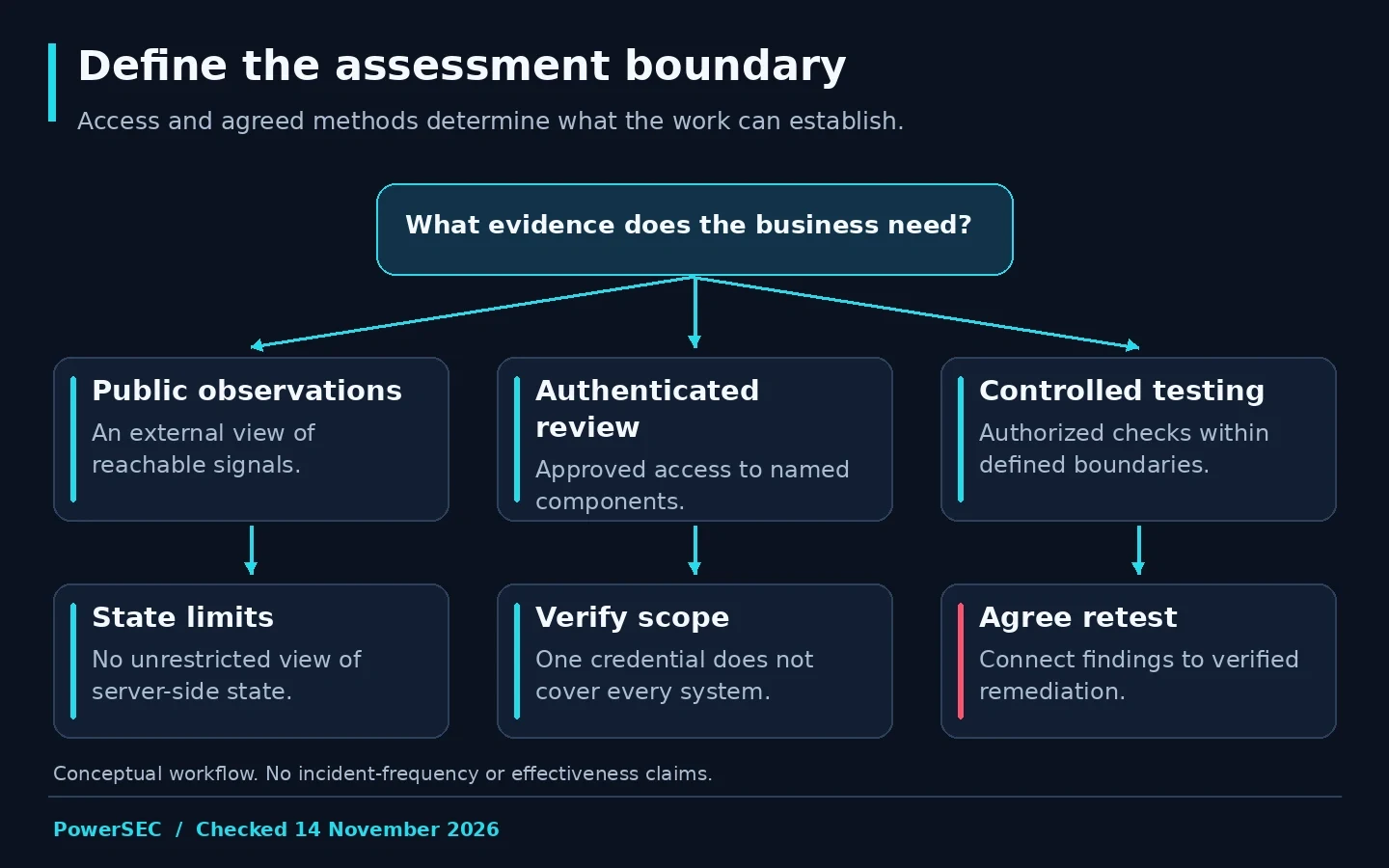
The permitted access and agreed methods determine what an assessment can establish.
What can you prepare in the WordPress admin?
Start with Tools > Site Health. WordPress's Site Health documentation explains the Status and Info views, including configuration information and installed components. Use the information as preparation for the assessor, not as a certificate that the site has passed a full security review.
Prepare a component inventory with the source and maintenance owner for plugins, themes and custom code. Identify which items are business-critical and which have unknown ownership. Do not remove something simply to make the inventory shorter before the assessor sees it.
Review the user list with the business owner. WordPress's roles and capabilities documentation explains that roles determine available actions. Ask the assessor to evaluate the site's actual assignments and any custom permissions within scope, rather than comparing account names with a generic list.
Provide recent change notes and relevant incident history. A failed update, unexplained account or recurring redirect may change the investigation priorities. Keep sensitive exports and credentials in approved private channels, and give the provider only the access authorized for the engagement.
What should a finding look like?
Ask for a finding that connects evidence to a practical action. The following is our recommended structure, not a claim that a single reporting template is mandatory for every assessment.
Finding field | Why it matters |
|---|---|
Affected asset and component | Identifies where work is needed |
Observation and date | Separates current evidence from assumptions |
Method and scope | Explains how the result was obtained |
Impact and conditions | Shows when the issue matters |
Remediation | Gives the owner a concrete next action |
Verification | Defines how completion will be checked |
Limitations | Makes unavailable evidence or untested behavior visible |
If a report references a CVE, ask for the primary advisory, affected version range and the score's assigner. The presence of an advisory does not alone establish that the installed site is exploitable under its actual configuration. A useful report explains the relevant conditions without including a working exploit in a client-facing article.
Keep confirmed findings separate from leads. A suspicious file, an unexpected setting and an observed authorization failure are different kinds of evidence. The report should make that distinction clear enough for the remediation owner to act appropriately.
Which claims deserve a follow-up question?
Ask what lies behind a universal security score. Is it a documented checklist, a weighted product metric or a test result? A score can help organize work, but the underlying observations matter more than the number when deciding what to fix.
Ask about the coverage of integrity checks. The WP-CLI core checksum documentation describes verification against WordPress.org checksums. That is a defined check of core files, not a review of every custom component or every database record. A report should identify the command's scope rather than expand its success into a whole-site guarantee.
Be cautious with absolute conclusions such as "nothing can be exploited" or a promise that passing the audit prevents future incidents. Request a statement of the checks performed, the environment examined and the remaining limitations instead.
Also distinguish an assessor's recommendation from a product sales requirement. If a finding says to buy a particular plugin, ask which control is missing and whether the proposed action addresses it. The recommendation should remain understandable even if you choose another implementation.
Plan testing, retests and quote comparison
Define the rules of engagement before testing starts. Name the authorized assets, contacts, permitted methods and any operations that require coordination. Identify business-sensitive workflows such as payments, customer notifications and order fulfillment.
Use a suitable test environment when the agreed checks could affect data or availability. Preserve the ability to investigate unexpected results. Do not assume that a broad request for an audit authorizes testing unrelated systems or interacting with real customer accounts.
Plan the retest when commissioning the assessment. Ask what the provider will verify after remediation, what evidence you must supply and whether the retest is included. A report delivered without a path to closure can leave the agency with a list of unresolved claims rather than completed work.
For each fix, record the responsible person and the verified outcome. Apply the relevant vendor update for an affected component. A monitoring tool can help follow the task, but its presence is not the fix and does not demonstrate that the original finding has been resolved.
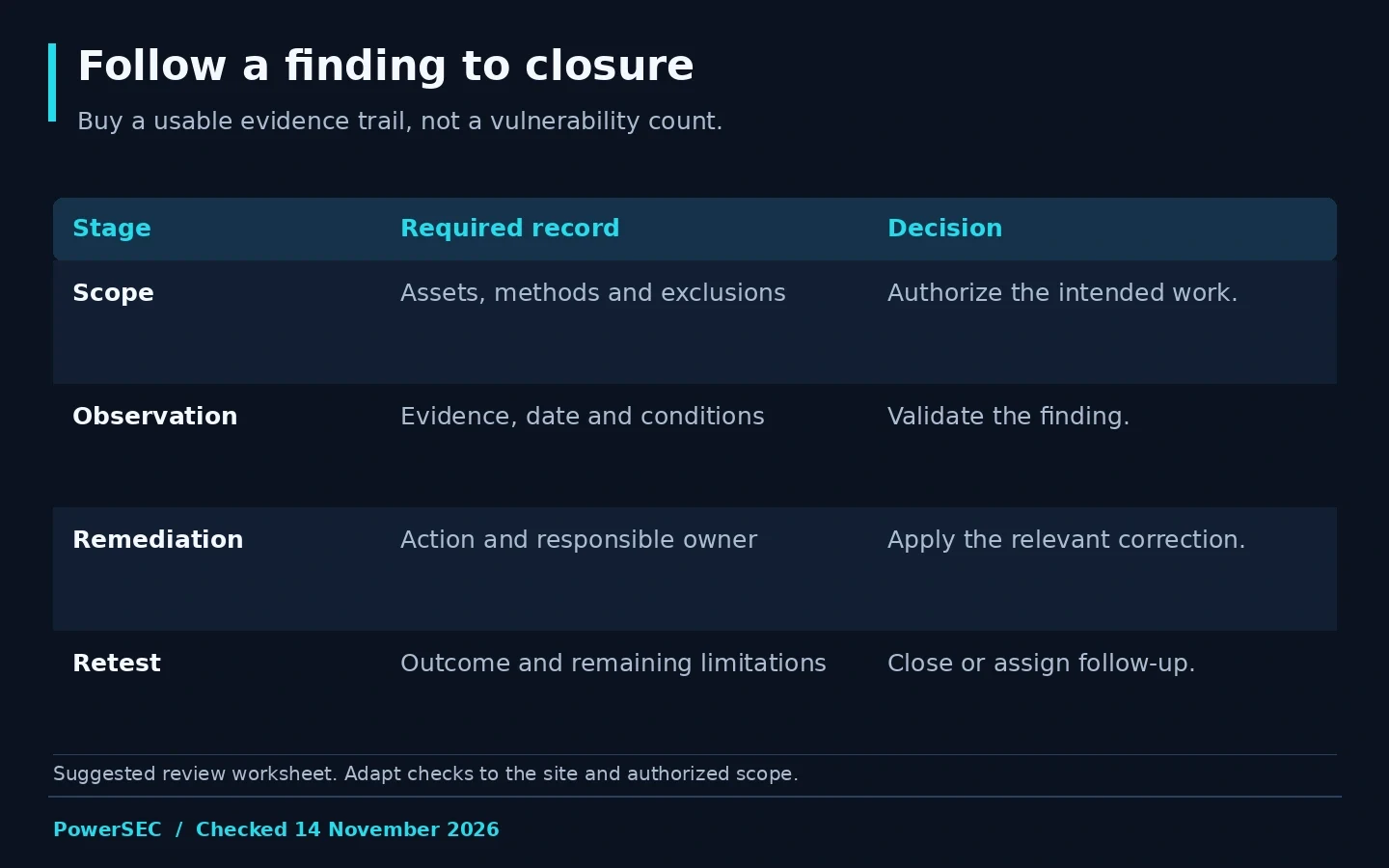
Define how a finding reaches a verified outcome before commissioning the work.
How should you compare competing quotes?
Compare scope, deliverables and access requirements before comparing the fee. Ask each provider to identify excluded systems and to show a redacted example of evidence and remediation guidance. Different prices may represent different amounts of work.
Consider who will use the report. A developer needs reproducible evidence and precise remediation. A business owner needs understandable impact and ownership. An agency needs a record it can hand to the next maintainer. A useful engagement can provide those views without hiding uncertainty behind technical language.
Do not demand a contrived vulnerability count as proof of value. A careful review that documents tested areas and limitations can be useful even when it finds no confirmed issue. Equally, a long automated list is not evidence that each item was validated.
Where PowerSEC fits
Run PowerSEC's free WordPress security scan for an initial external observation and a starting point for follow-up. Keep its public-facing scope in view. It is not a substitute for an authenticated audit, a controlled penetration test or incident investigation.
For ongoing work, PowerSEC Free includes vulnerability and malware scanning, while Pro Protection adds scheduled rescans, bulk plugin updates and incident runbooks. Those capabilities can support an assessment's follow-up workflow. They do not turn every scan into an audit or remove the need to verify remediation.
Bottom line
Before buying a WordPress audit, define what must be examined and what evidence you need afterward. Compare findings, limitations and retest procedures, not just a score or a title. Start with a scoped observation, then commission the deeper work your site's actual risks and business functions require.
Sources
Primary sources checked on 14 November 2026: