WP Libre Form can still be handling file uploads after you install its 2.0 rewrite. The project's migration notes explain why: the developer changed the plugin name on disk so both versions could run on the same site. A successful test of the new contact page tells you nothing about an older form on the careers page.
That matters because CVE-2026-118423, published on 6 November 2026, identifies an unauthenticated file upload that can lead to remote code execution in the legacy plugin. WPScan lists no known fix. If a client uses it, take the affected handler offline. Then establish where their previous submissions live before removing the old software.
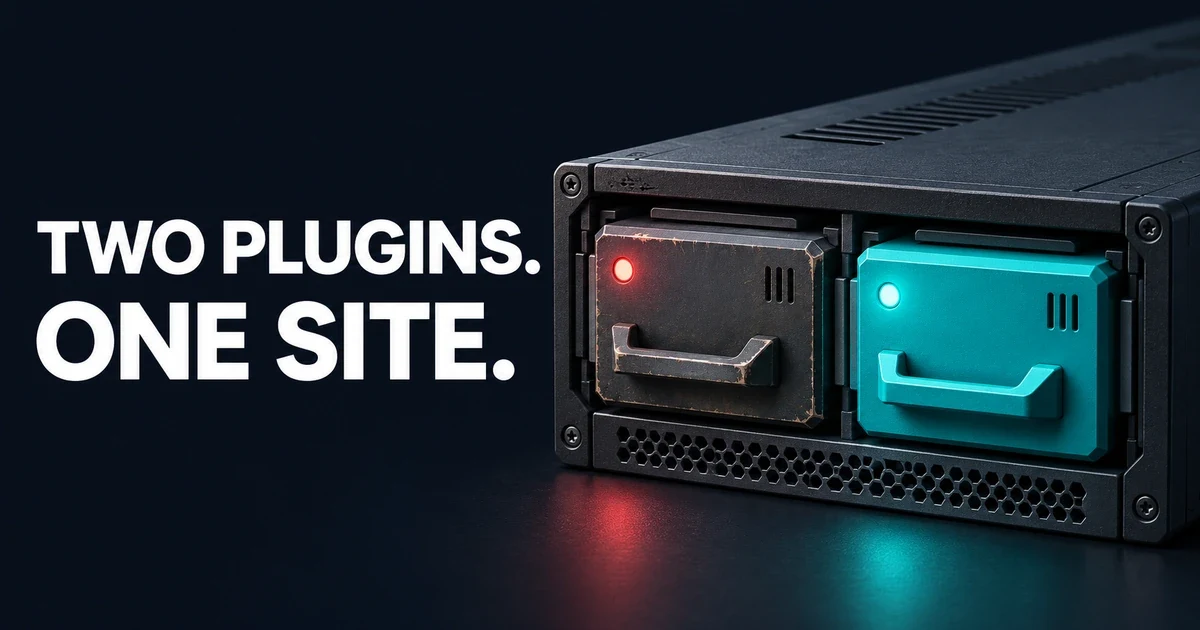
The replacement can be active while the original plugin is still serving forms.
The short version
Question | Answer |
|---|---|
Which plugin is this? | The legacy |
Which release is confirmed affected? | WPScan's CVE record explicitly names 1.5.0.1. Patchstack describes 1.5.0.1 and earlier as affected. |
How severe is it? | CVSS 3.1: 10.0 (Critical), assigned by WPScan, the CNA. The NVD record reproduces WPScan's score. |
Is there a fixed version? | Neither WPScan nor Patchstack identifies one as of 6 November 2026. The separate rewrite is not a documented fix for an installed legacy copy. |
What should I do first? | Check for a vendor-confirmed fix. While none is identified, disable the legacy handler and give visitors an alternative way to reach you. |
How the WP Libre Form vulnerability works
A form can accept an attachment as customer data. A server can interpret some file types as programs. According to the WPScan advisory, the affected plugin fails to validate the type of file it accepts. If the stored file is reachable over the web and the server executes it as PHP, a visitor's upload can become code running on the site.
The CVE record classifies the weakness as CWE-434, unrestricted upload of a dangerous file type. WPScan's own advisory page also uses an RCE label and lists CWE-94. The distinction matters when briefing a client: the file upload is the underlying problem; code execution is the possible consequence. WPScan credits Enrico Marcolini, Claudio Marchesini and Dottor Marc as the finders.
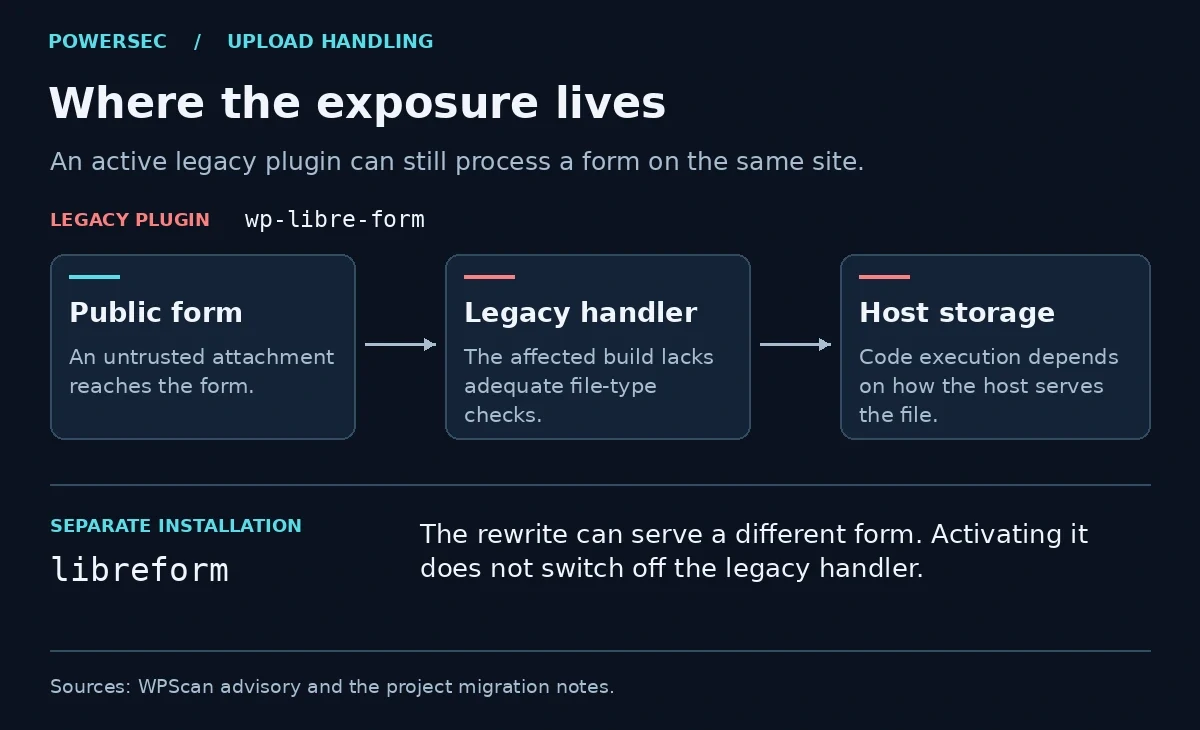
The host's treatment of an uploaded file determines the consequence. Installing another form handler does not change that boundary for the old one.
Which conditions matter on a real site?
The CNA's vector specifies network access, no attacker privileges and no victim interaction. For the documented code-execution outcome, the vulnerable submission handling must be reachable and its stored content must be accessible and executable. Ask the host about the effective configuration for the site's actual upload location. A browser screenshot cannot establish how the server treats a file.
There are two version traps. First, the WordPress.org source readme has a stable tag of 1.4.3, while the CVE specifically names 1.5.0.1. The directory page cannot tell you which build a developer deployed from Composer or GitHub. Second, upstream tags include 1.5.0.2 and 1.5.0.3. The existence of higher version numbers does not establish a security fix. Neither advisory identifies those tags as fixed; their status is unverified here. The maintainer's README describes the 1.5 branch as unmaintained. If an agency deployed your copy, record its package version or commit alongside the version shown in WordPress.
Threat status on 6 November 2026
Patchstack lists this issue among recently exploited vulnerabilities. Its individual entry also carries its known-exploited label, although the general risk paragraph describes exploitation as expected. The CISA enrichment in the CVE record recorded exploitation as none at 11:41 UTC on 6 November 2026. The CISA KEV catalog snapshot we checked the same day contains no entry for this CVE. These sources differ. They do not establish how many sites were compromised or what happened on yours.
There is a public demonstration. WPScan schedules display of its own PoC for 1 February 2027, but a separate public PoC repository was created on 6 November 2026. Its author presents it as a demonstration of upload leading to execution. We confirmed the repository was public; we did not run its code or verify the author's result independently.
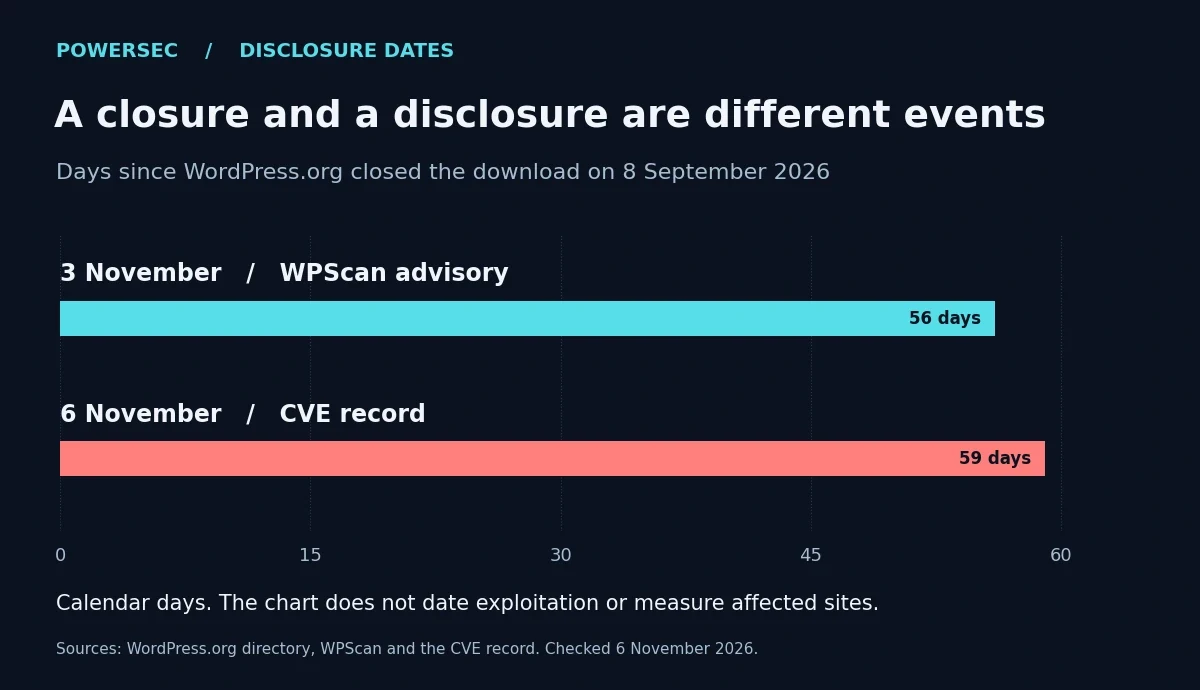
Elapsed calendar days since the directory closed. These dates describe disclosure, not the start of attacks.
The chart uses the directory closure on 8 September, WPScan's public advisory on 3 November and CVE publication on 6 November 2026. WordPress.org says the closure was pending review. It does not attribute that earlier decision to this vulnerability.
Is my site affected?
Open Plugins > Installed Plugins and check the legacy entry's version and activation status. On multisite, also review network activation. If the display names look similar, use the WP-CLI inventory command below from the appropriate WordPress installation. On multisite, run it in the relevant site's context. It skips the update check and shows what is installed:
wp plugin list --skip-update-check --fields=name,status,version --skip-plugins --skip-themesLook for both names: wp-libre-form and libreform. If both are active, deploying the rewrite did not retire the legacy plugin. If only the rewrite appears, this advisory alone does not establish that it is vulnerable. If neither appears but your deployment uses renamed directories, ask the deployer to match the installed code to its package and version. WP-CLI notes that --skip-plugins still loads must-use plugins; use a preserved copy and trusted tooling if you already suspect compromise.
The migration notes identify another useful clue: the legacy shortcode is libre-form, with a hyphen; the rewrite uses libreform, without one. Check published pages and templates for the old spelling. A shortcode is a lead to follow, not proof of an active handler. Equally, changing a page's shortcode is not a substitute for deactivating the old plugin.
What you should do
Look for a vendor-confirmed security update first. As of 6 November 2026, WPScan lists no known fix. Disable the affected legacy plugin using the WordPress plugin management screen, or have the host isolate the affected service immediately if you cannot safely administer it. Give visitors a temporary contact method that does not depend on that plugin. Do not keep it publicly exposed while you reconstruct its history.
Preserve submissions before deleting software or migrating data. The legacy project stores submissions as posts with custom fields and supports uploaded media and email notifications. The rewrite instead describes a separate submissions table for each form. Copying the HTML for a quote-request form does not copy a customer's old quote request. Capture a restricted backup of the database and files; treat historical attachments as untrusted until reviewed.
A database administrator can run this read-only count against a preserved database. Substitute the correct site's posts table for wp_posts if its prefix differs. The type names come from the legacy plugin's form registration and submission registration:
SELECT post_type, post_status, COUNT(*) AS item_count
FROM wp_posts
WHERE post_type IN ('wplf-form', 'wplf-submission')
GROUP BY post_type, post_status
ORDER BY post_type, post_status;
This returns counts by status without printing names, email addresses or message text. It does not count the rewrite's per-form tables, export attachments or prove that a backup can be restored. Use it as a baseline: for a retained submission, can an authorized member of staff retrieve its fields and the right attachment from the isolated copy?
Before reopening intake, submit a harmless inquiry to the replacement. Check that the intended inbox or downstream system receives it, that staff can retrieve it, and that the old handler stays disabled after the next deployment. The earlier PowerSEC article on testing attachment delivery has a useful acceptance checklist for this last part of the migration.
Were you targeted?
Neither the CNA advisory nor Patchstack's entry supplies a campaign-specific IP address, domain or file hash. Use local evidence: when did this site last serve the old form, where were files stored, and do access logs show a request for an unexpected executable file there?
On a preserved filesystem copy, the following read-only check lists two common executable-looking suffixes. Start at the site's WordPress root. Replace the default path if the deployment uses a different uploads directory:
find ./wp-content/uploads -type f \( -iname '*.php' -o -iname '*.phtml' \) -printFor a local, uncompressed access log named example.com.access.log, the next command looks for requests mentioning those suffixes under the default uploads URL. Apache's access-log documentation explains how to interpret request, time and response fields; your host may log a different format.
grep -Ei -- '/wp-content/uploads/[^?[:space:]"]*\.(php|phtml)([/?[:space:]"]|$)' ./example.com.access.logA listed file can be legitimate. A logged request can be an unsuccessful probe. Preserve unexplained files alongside the original logs, timestamps and deployment records; have the host investigate without opening the file over HTTP. No output narrows what these checks found. It cannot rule out other extensions, paths, missing logs or activity before the evidence window.
Where PowerSEC fits
PowerSEC's plan comparison includes vulnerability scanning on every plan, including Free, and flags CISA KEV findings first. The free external scan can see public traces but cannot establish which of these plugins is active or inspect private submission records. Use the installed inventory for that decision. A vendor security update would be the software fix; until one is verified, keep the affected handler offline.
Bottom line
If the handover ticket says "upgraded to Libreform," ask the maintainer to show which plugin still receives requests. For this incident, close the ticket when the legacy handler is offline, the client can retrieve the records they need, and a test inquiry reaches the right person through the replacement. Those are three different things you can verify.
Sources
All sources and current-status statements were checked on 6 November 2026 (US Eastern date).
WPScan advisory, public 3 November 2026; CVE record with CNA metrics and CISA enrichment, published 6 November 2026.
Patchstack advisory, published 6 November 2026; CISA's official KEV snapshot, catalog dated 6 November 2026.
WordPress.org directory closure; legacy readme and changelog; upstream tag list.
Legacy project at the named version; rewrite migration notes; public PoC repository metadata.
WP-CLI plugin inventory; WordPress backup guidance; Apache logging guide.
KEV check, 6 November 2026: CVE-2026-118423 was not present in the official CISA catalog snapshot checked for this article.